A self-hosted jam for YouTube Music
Everyone picks the music.
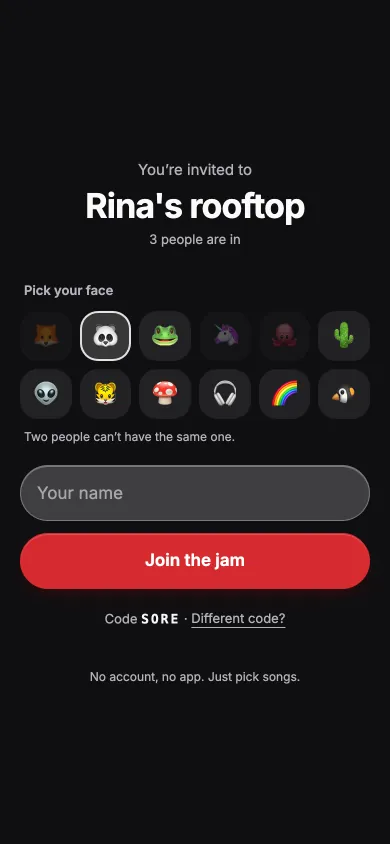
Nimbrung turns a laptop and a speaker into a queue the whole room can add to. Guests scan a QR code and add songs from their phones. No account, no app.
Nimbrung (Indonesian): to join in on something already going.
The code isn’t public yet.

How it works
-
Plug in the laptop.
A laptop runs the YouTube Music desktop app and Nimbrung, and plays through the speaker. Nimbrung puts the app’s queue on a web page.
-
Guests scan the QR code.
They type a nickname, pick a face, and they’re in. On the same Wi-Fi that’s all. Friends somewhere else join through ngrok or your own domain on Cloudflare.
-
Everyone adds songs.
Songs play in the order they were added, ahead of autoplay. When the list runs out, YouTube Music’s autoplay keeps going.
From any phone in the room
Guests open a web page. This is what they can do.
Add songs
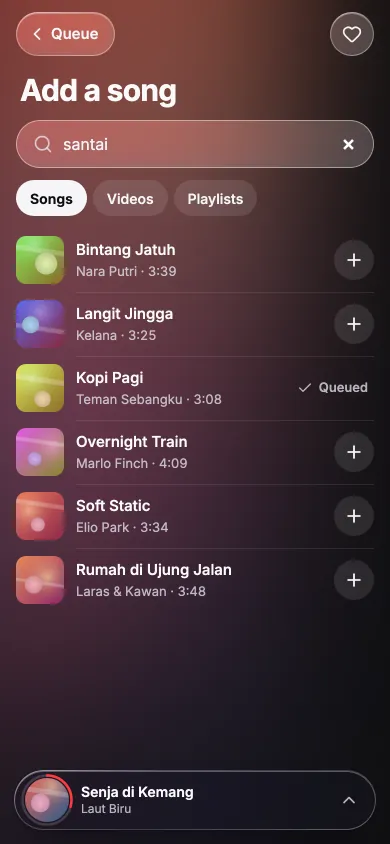
Search songs, videos and playlists. A line from the lyrics works too.
Bring a playlist
Share a link from the YouTube Music app, or paste one. A playlist opens so you can pick songs from it.
Change the order
Move songs up or down in Up next, take your own out, or shuffle it.
Vote to skip
A song skips when enough people vote. Three, unless the host changes it.
Louder or quieter
Guests can’t touch the volume. They can ask, and the host sees how many did.
React and chat
Six reactions float over the song on every screen. One-line comments slide by.
Sing along
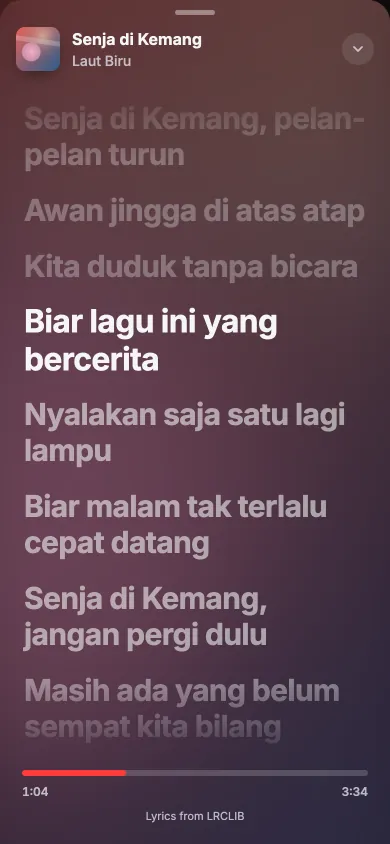
Lyrics come from LRCLIB and follow the song line by line when they’re timed.
Keep what you hear
Tap the heart to save a song. The list stays on your phone for the next jam.
Pick a face
Each guest picks one of twelve faces. Two people can’t have the same one.
Light or dark
Dark for a dim room, light for a bright one. It follows the phone’s setting.

Put it on the TV
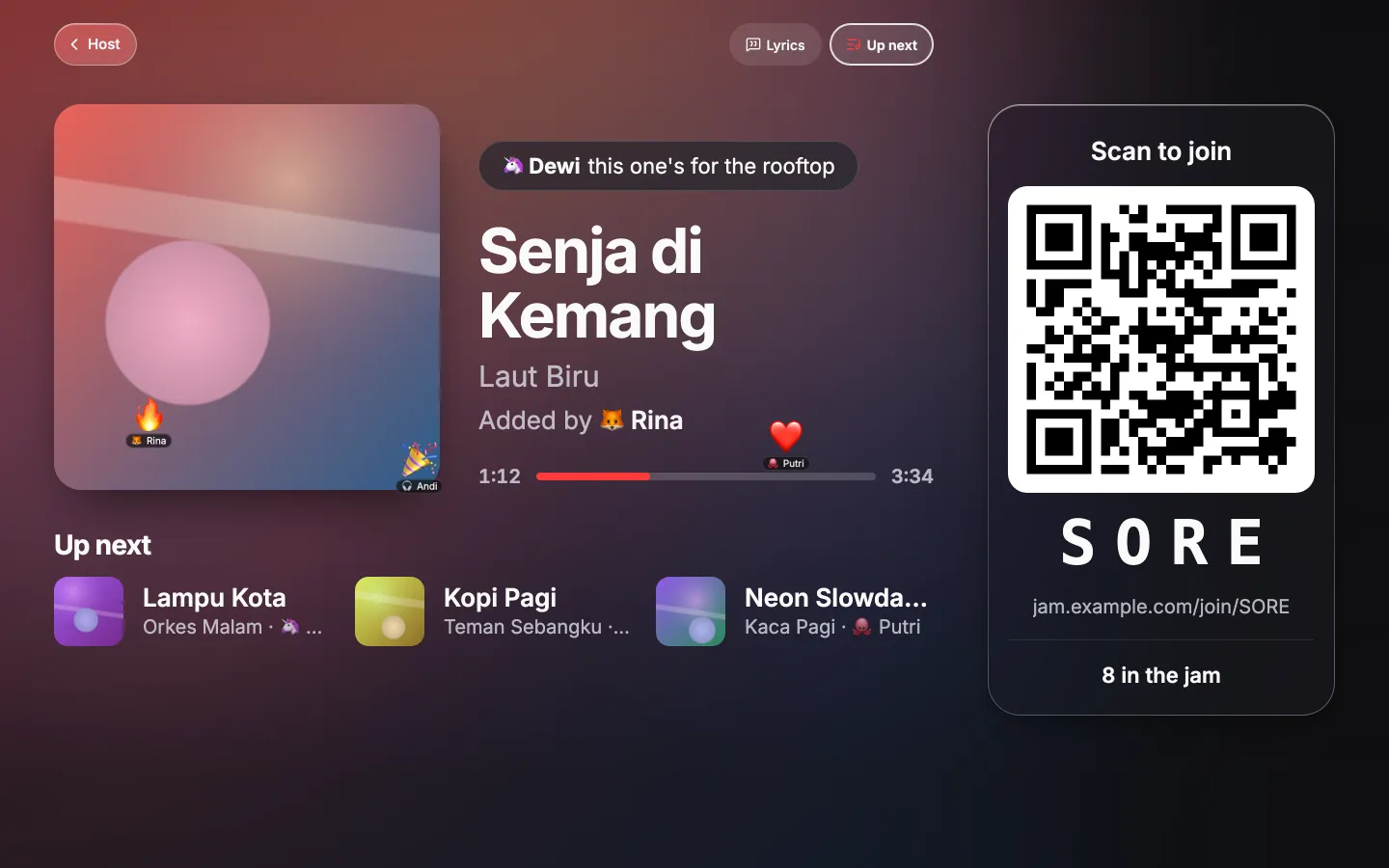
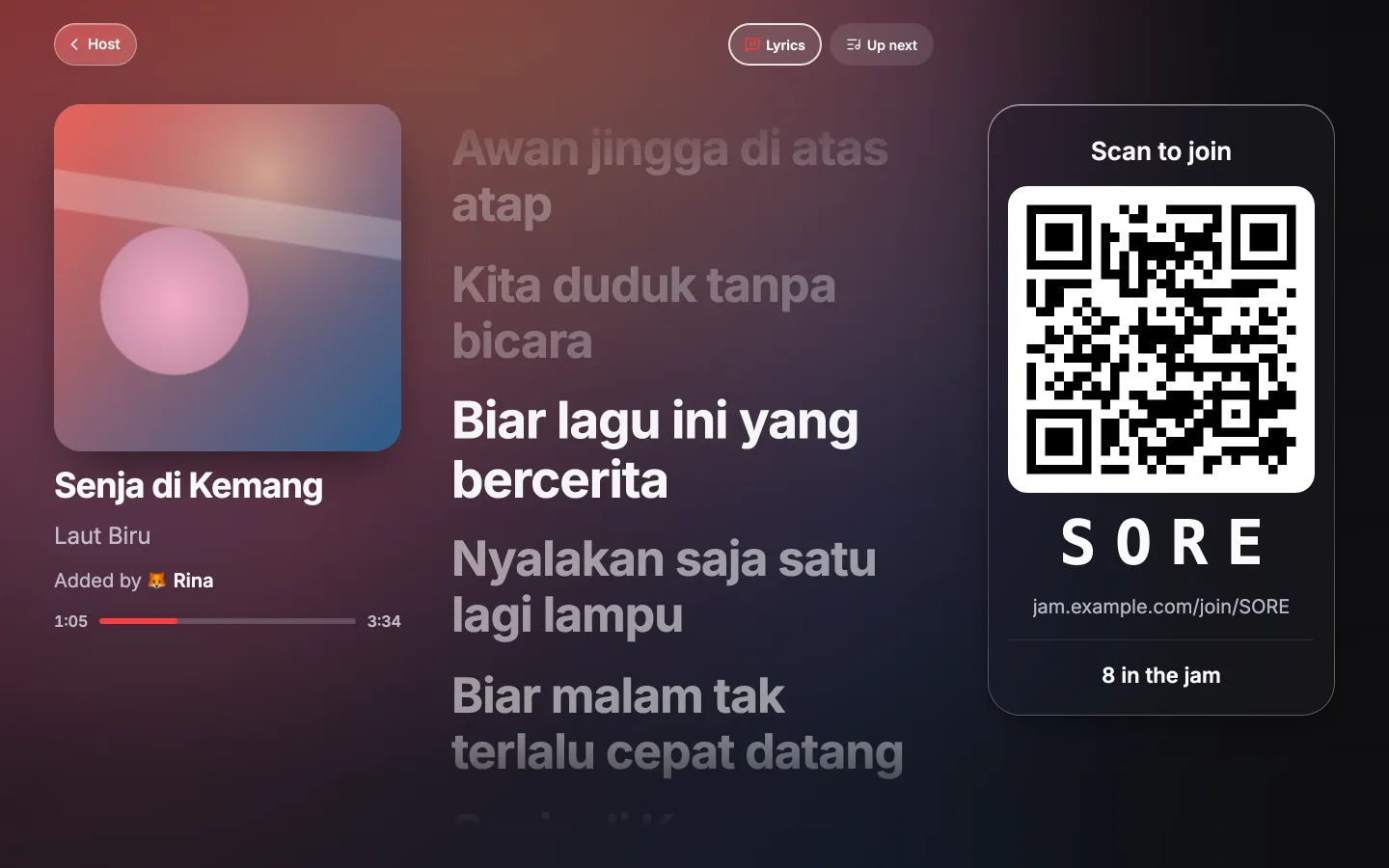
Open the room view on a TV or a second screen. It shows the song, who added it, the next three songs, reactions as they happen, and the QR code to join. When a song has lyrics, they show there too, line by line when they’re timed. It needs no login.
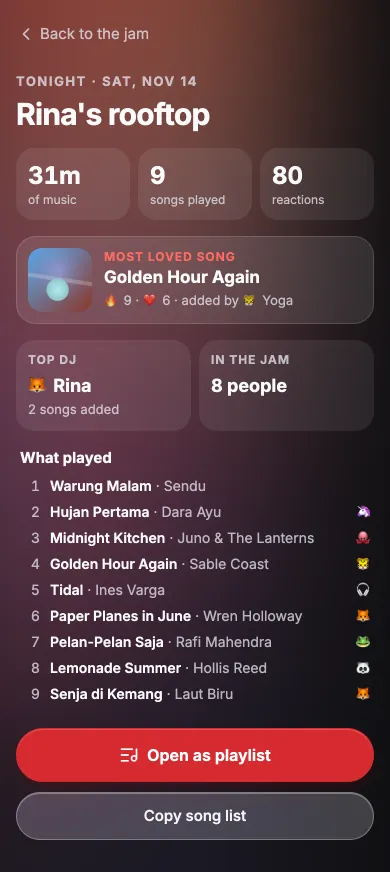
The night, in one screen
The recap shows how long the music played, how many songs and reactions there were, the most loved song and the top DJ. Everything that played opens as a YouTube playlist, or copies as a list.
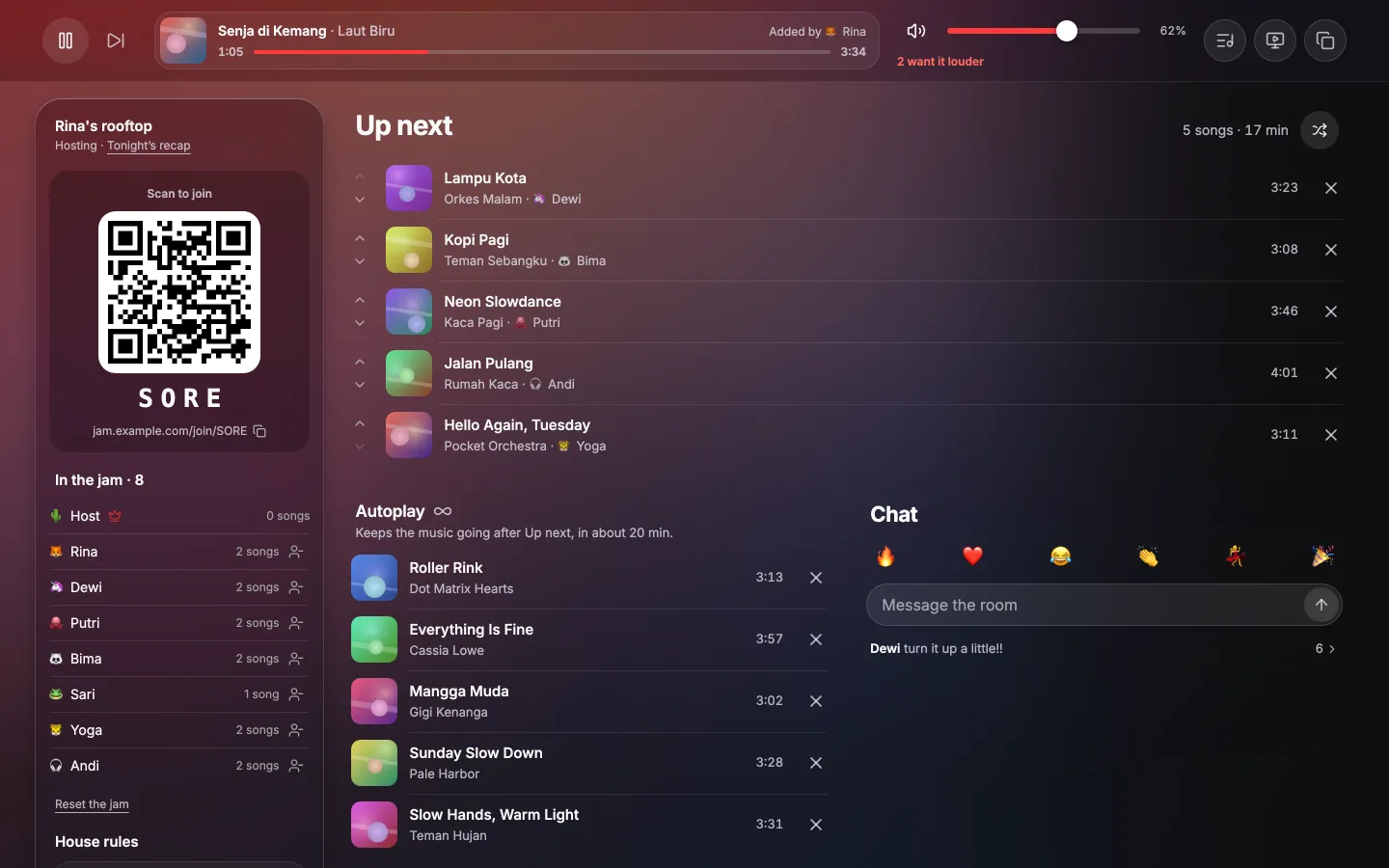
For the host
The host page runs on the laptop, behind a secret link.
Play, pause, skip, volume
The host’s skip happens right away.
Remove any song or guest
Or block their network from joining again.
House rules
Songs per guest per minute (3 to start), votes to skip, and ask to join: new guests wait until you let them in.
The QR code and invite link
Ready to show, or to send.
Keyboard
Hold Option to see each button’s letter. ? lists them all.
A jar in the menu bar
On a Mac, Nimbrung lives in the menu bar. Start the jam opens YouTube Music, the tunnel and Nimbrung, ticks off each step, and opens the host page once guests can reach it. From the same panel you can copy the invite link, open the room view (⌥R), or stop the jam. It asks first if anyone is still in.
Set up in one window
The first time, a setup window walks you through it. Every button runs a real command, and the window shows which one.
- YouTube Music: installs it with Homebrew and asks you to sign in.
- Player control: turns on the app’s API Server, then you click Allow once.
- Sharing: Wi-Fi only, a free ngrok link, or your own domain on Cloudflare.
- Your jam: room name and join code.
- Test run: starts a real jam and shows its QR code.


What you need
- A Mac with macOS 14 or later, Apple Silicon or Intel, for the menu-bar app. The server alone also runs on Windows and Linux, started from a terminal.
- The YouTube Music desktop app (pear‑desktop), signed in. It’s an open-source app by other developers.
- Nothing to build. The Mac app comes as one file with the server inside. Ask Adrian for it. It isn’t notarised by Apple, so the first time you open it you allow it once in System Settings.
- Homebrew. The setup window uses it to install YouTube Music and the sharing tool.
- For friends outside your Wi-Fi (optional): a free ngrok account, or a domain on Cloudflare.
It stays on your laptop
- No accounts, no analytics. Guests give a nickname and pick a face.
- One cookie. It keeps a guest in the jam for 12 hours.
- What the laptop saves. The jam is saved to a file so a restart doesn’t lose it: guest names and faces, their sessions and IP addresses, who added which song, who was removed or blocked, and the last 500 songs with how many reactions each got. Chat, votes and volume asks aren’t saved. Start with
-state-file ""and the jam isn’t saved at all. - What stays on the guest’s phone. Saved songs and recent searches live in that phone’s browser.
- What leaves the laptop. Search and the queue go through the YouTube Music app. Playlists, and the songs autoplay will pick, are read from YouTube without signing in. Lyrics come from LRCLIB (turn that off with
-lyrics ""). Artwork loads from YouTube’s image servers, and guests’ phones load the Inter font from Google Fonts. With a tunnel, ngrok or Cloudflare carries the traffic. - This website sets no cookies and loads nothing from other sites.
Host the next one.
The code isn’t public yet. Want to run one at your place? Write to Adrian.
Email Adrian